


What Are Network Receipt Printers and Who Needs Them?
Running a business today means every second at the checkout counts. Whether you own a busy café in Auckland, a retail store in Wellington, or a pharmacy in Christchurch, customers expect quick service and accurate receipts. While many business owners focus on choosing the right POS software, the printer connected to it often receives far less attention.
A network receipt printer can make a significant difference in how smoothly your checkout operates. Unlike printers that connect to just one computer, network models can be shared by multiple POS terminals, making them an ideal choice for businesses with more than one checkout counter.
If you're planning to upgrade your store or open a new business, understanding how network receipt printers work can help you make a smarter investment.
What Is a Network Receipt Printer?
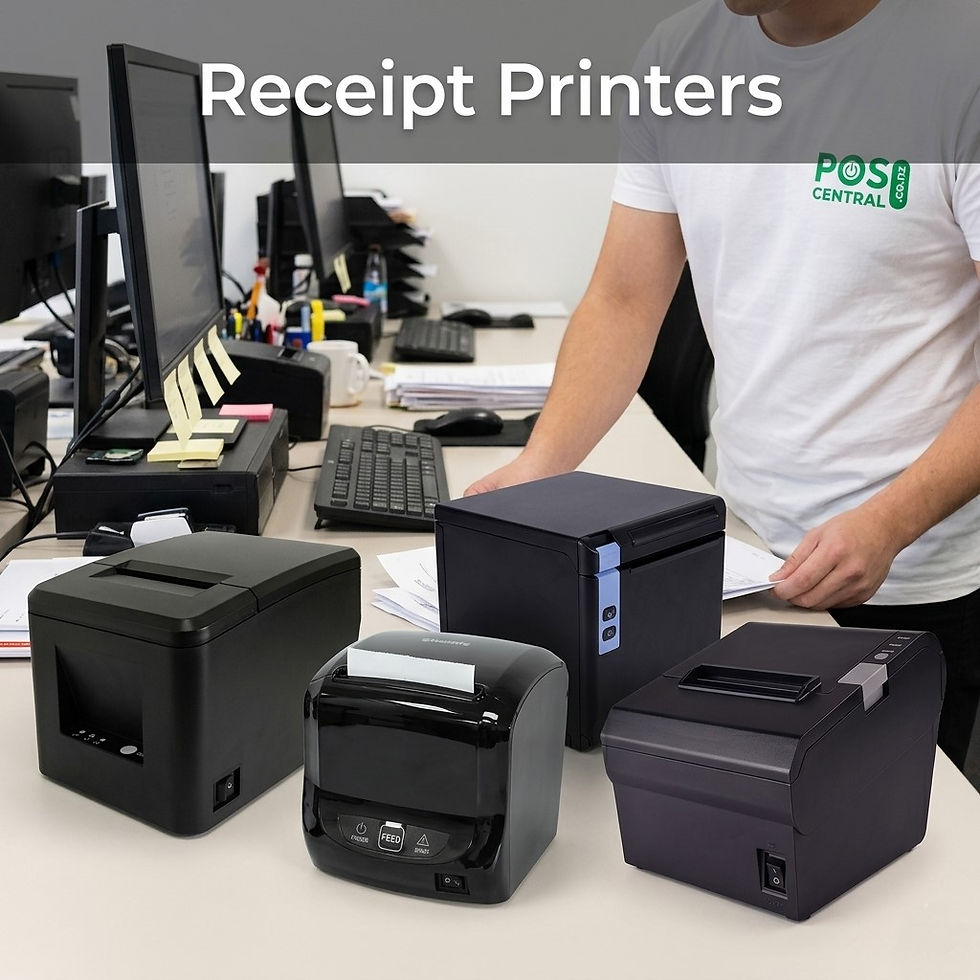
A network receipt printer is a printer that connects through your local network using Ethernet or Wi-Fi instead of relying solely on a USB cable. This allows several POS terminals, tablets, or computers to send print jobs to the same device.
Imagine a busy restaurant where waitstaff enter orders from handheld devices while cashiers process payments at the front counter. Instead of installing multiple printers, everyone can use a single network printer located near the kitchen or checkout area.
This setup saves space, reduces equipment costs, and simplifies daily operations.
Who Should Use Network Receipt Printers?
Not every business requires a network printer, but many can benefit from one.
Retail Stores
Large retail stores often have multiple checkout counters operating simultaneously. A shared printer allows staff to continue serving customers without constantly switching devices or reconnecting cables.
Cafés and Restaurants
Restaurants frequently receive orders from tablets, POS terminals, and online ordering systems. A network-connected printer keeps everything organised while ensuring receipts are printed immediately.
Supermarkets
High customer traffic means speed is essential. Network printers help multiple cashiers work efficiently without delays.
Pharmacies
Pharmacies regularly print receipts, invoices, and customer transaction records. A network printer provides reliable access from different workstations.
Warehouses and Distribution Centres
Businesses processing orders from different computers can print receipts or packing information without moving equipment around.
A Real-Life Example
Sarah owns a boutique clothing store in Hamilton. Initially, she operated with one checkout counter and a USB receipt printer.
As her business expanded, she added another register. Staff soon realised they had to walk between counters whenever receipts needed to be printed, causing delays during busy weekends.
After installing a network receipt printer, both checkout stations could print instantly from their own POS systems. Customers were served faster, staff moved less, and queues became shorter.
It wasn't a dramatic change, but it improved everyday operations in a noticeable way.
Benefits of Using Network Receipt Printers
Better Team Productivity
Multiple users can print from different devices without disconnecting or reconnecting cables.
Easier Store Expansion
If your business grows, adding another POS terminal is much simpler because the printer is already available on the network.
Reduced Cable Clutter
Instead of long USB cables running across counters, network connections create a cleaner and safer workspace.
Flexible Installation
Because the printer doesn't have to sit beside one computer, you can position it wherever it's most practical.
Reliable Business Operations
Modern network printers are designed for continuous daily use, making them suitable for busy commercial environments.
Choosing the Right Type of Receipt Printer
Not every business has the same printing needs. Understanding the available categories makes choosing easier.
Thermal Receipt Printers
Thermal receipt printers are the most common option for modern businesses.
Instead of using ink or toner, they print using heat-sensitive paper, producing clear receipts quickly and quietly.
These printers are ideal for:
Retail stores
Cafés
Restaurants
Bakeries
Service businesses
Convenience stores
Advantages include:
Fast printing
Quiet operation
Lower maintenance
Fewer moving parts
Compact size
For businesses processing hundreds of transactions every day, thermal models often provide the best balance of speed and reliability.
Impact / Dot Matrix Receipt Printers
Although many businesses have moved to thermal technology, impact printers still play an important role.
These printers use a print head that strikes an ink ribbon against paper.
They're particularly useful when businesses require duplicate or carbon-copy receipts.
Common users include:
Commercial kitchens
Logistics companies
Government offices
Freight businesses
Their biggest strengths include:
Multi-copy printing
Durable performance
Long service life
Reliable in demanding environments
While they are generally slower and noisier than thermal printers, they remain the preferred option for businesses that need duplicate documentation.
Wireless Receipt Printers
Wireless receipt printers offer greater flexibility by connecting through Wi-Fi or Bluetooth.
They're especially useful for businesses that don't operate from a fixed checkout.
Popular examples include:
Food trucks
Market stalls
Mobile retailers
Delivery services
Pop-up stores
Event vendors
Staff can print receipts directly from tablets or smartphones without needing a wired connection.
This flexibility allows businesses to serve customers wherever they are.
Things to Consider Before Buying
Before choosing a printer, ask yourself a few practical questions.
How many checkout counters do you have?
Single-register stores may only need a USB printer, while multiple counters often benefit from a network model.
How busy is your business?
Businesses with constant customer traffic should prioritise speed and reliability.
Will your business grow?
Choosing equipment that supports future expansion can prevent unnecessary replacement costs later.
Do you need duplicate receipts?
If your business requires carbon copies, an impact printer may still be the right solution.
Are you mobile?
If you attend markets or events, a wireless printer could be more practical than a fixed installation.
Common Mistakes Businesses Make
Many business owners focus only on price.
However, the cheapest printer isn't always the most economical over several years.
Common mistakes include:
Buying a home-use printer instead of a commercial model
Ignoring network compatibility
Choosing a slow printer for high-volume environments
Forgetting future business growth
Overlooking available technical support
Spending a little more on reliable equipment often saves money through reduced downtime and fewer repairs.
A network receipt printer isn't just another piece of hardware—it can improve the way your entire checkout operates. By allowing multiple devices to print through one reliable connection, it helps reduce delays, improve customer service, and support business growth.
Whether you're running a single retail store, managing a busy restaurant, or operating several checkout counters, selecting the right printer can make everyday tasks easier for both staff and customers.
If you're comparing options, consider how your business works today and where you expect it to be in the future. Choosing the right printing solution now can provide years of dependable performance. For businesses looking for reliable receipt printing solutions, POS Central NZ offers a wide range of options, including thermal, impact, wireless, and network-compatible receipt printers designed for New Zealand businesses.
FAQs
1. What is a network receipt printer?
A network receipt printer connects to your business network, allowing multiple POS terminals or devices to print receipts using one printer.
2. Who should use a network receipt printer?
Businesses with multiple checkout counters, restaurants, cafés, supermarkets, pharmacies, and retail stores benefit the most.
3. Are thermal receipt printers better than impact printers?
Thermal receipt printers are faster and quieter, while impact printers are ideal for printing duplicate or multi-copy receipts.
4. Can wireless receipt printers work with tablets?
Yes. Most wireless receipt printers connect via Wi-Fi or Bluetooth, making them suitable for tablets and mobile POS systems.
5. How do I choose the right receipt printer for my business?
Consider your daily transaction volume, number of checkout stations, connection type, and whether you need mobile or network printing.

Comments